Set up your profiles and templates once. Reuse them across every listing you create or update — instead of repeating the same manual steps for each one.
01 / Listing Creation
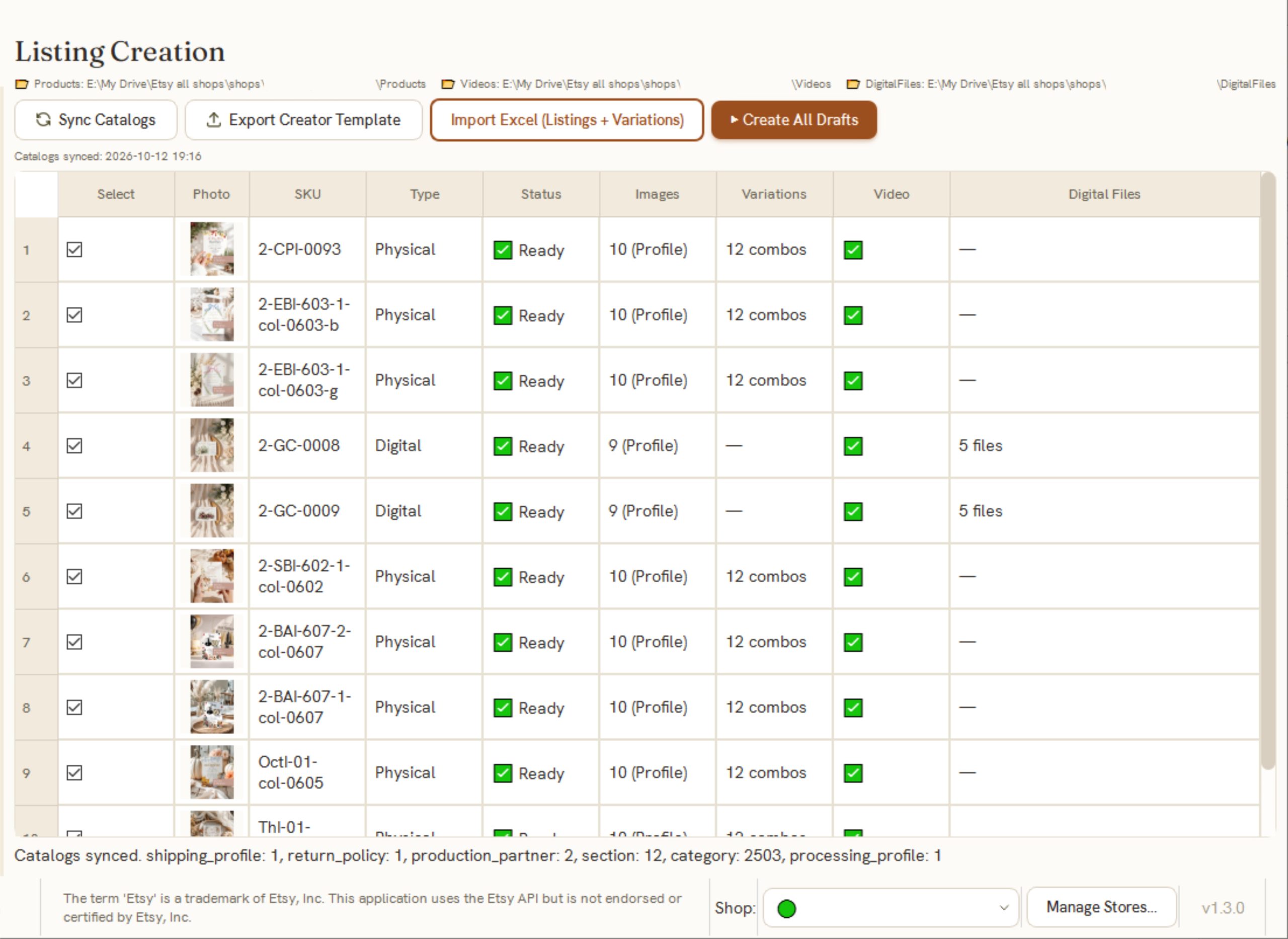
Listing Creation turns a spreadsheet and your local files into listings ready for Etsy. Fill in one row per listing — title, price, description, category, variations — and Golivo matches your photos, video, and digital files to each one, using your reusable profiles or your local folders, depending on the listing.
Every listing is saved to Etsy as a Draft. You review it and publish it yourself, whenever you’re ready.
Why it matters
Instead of building each new listing by hand in Etsy's editor, you describe what's different in a spreadsheet — and let your existing profiles handle everything that's the same.
02 / Listing Updates
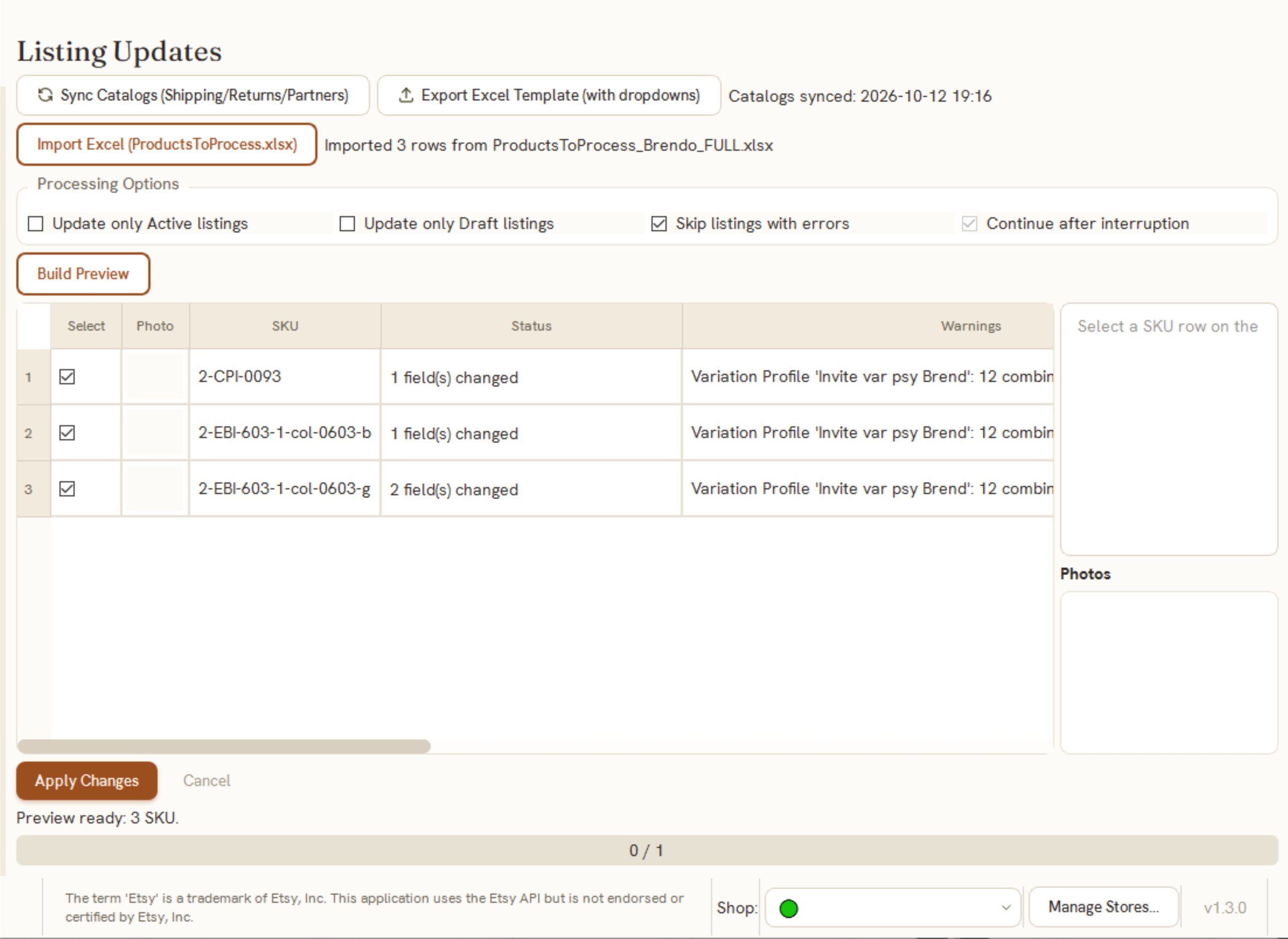
Listing Updates applies changes to listings you already have on Etsy, based on the columns you fill in on a spreadsheet. Leave a field blank, and that listing stays untouched.
Why it matters
A price update, a file swap, or a catalog-wide correction — done once as a spreadsheet edit, instead of opening dozens or hundreds of listings one at a time.
03 / Templates & Profiles
Reusable building blocks instead of repeating them on every listing:
Why it matters
Most listings share far more in common than they differ. Set up the shared parts once, reuse them everywhere they apply.
04 / Local Files
Golivo works with the photos, videos, and digital files already on your computer. Organize them by listing, and Golivo matches them to the right listing when preparing or updating it.
Why it matters
No re-uploading the same files listing by listing, and no need to move your media anywhere else first.
05 / Excel Workflow
Excel is where you describe what you want. Golivo generates a template with the columns you need, you fill it in, and Golivo prepares your batch — with your profiles and file rules already applied.
Why it matters
Prepare a large batch offline, at your own pace, using a tool you already know — then bring it into Golivo when ready.
06 / Multi-Shop
If you run more than one Etsy shop, Golivo keeps each one’s listings, profiles, and files separate and organized within its own workspace.
07 / Review Before Etsy
New listings are always created as Drafts. Updates to existing listings always go through a before/after preview. Applying the change is a separate, deliberate action — you choose exactly what gets sent to Etsy, and when.
See how Listing Creation and Listing Updates fit into your own workflow.
Golivo v1.3.0
Enter your email and we'll send Golivo straight to your inbox.
Contact Form 7 form ID is not set yet — see CF7-SETUP.md.
Email usCheck your email
We've sent Golivo to the address you provided.